**Note:** you can only depart from your current virtual location, you can click on your current **ICAO** location to show flights departing from it.
To select a flight you click on the **Flight No.** of the route you wish to take [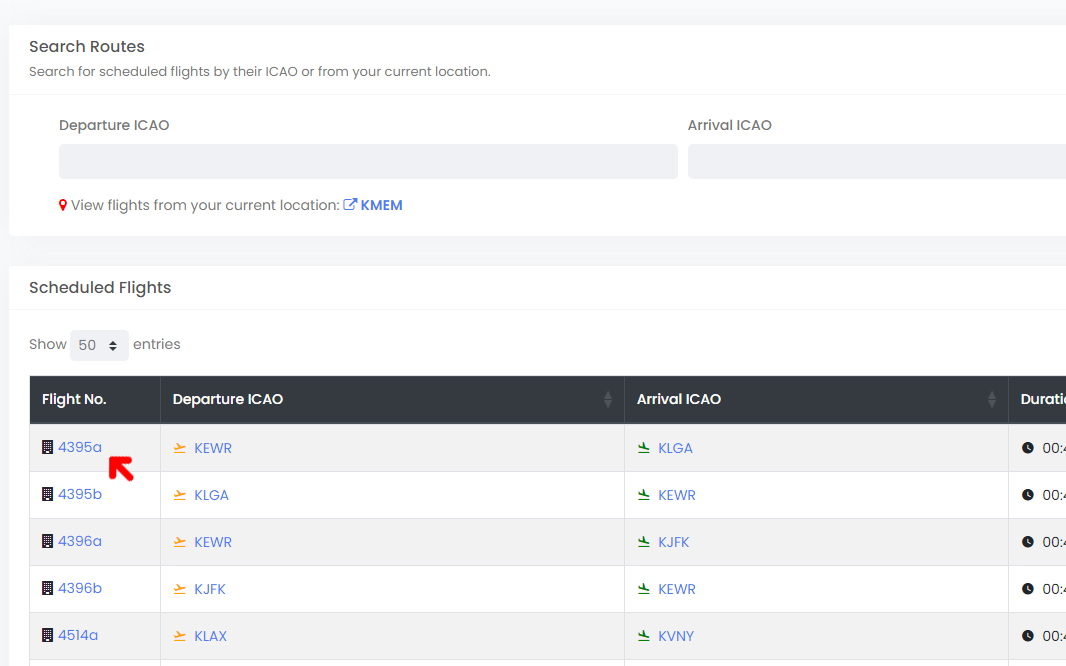](https://ops.pacificairways.net/uploads/images/gallery/2024-03/sched-1.png) This will then load up the flight information, once you have determined that you wish to fly the route you have selected you can click on **Dispatch Flight**. [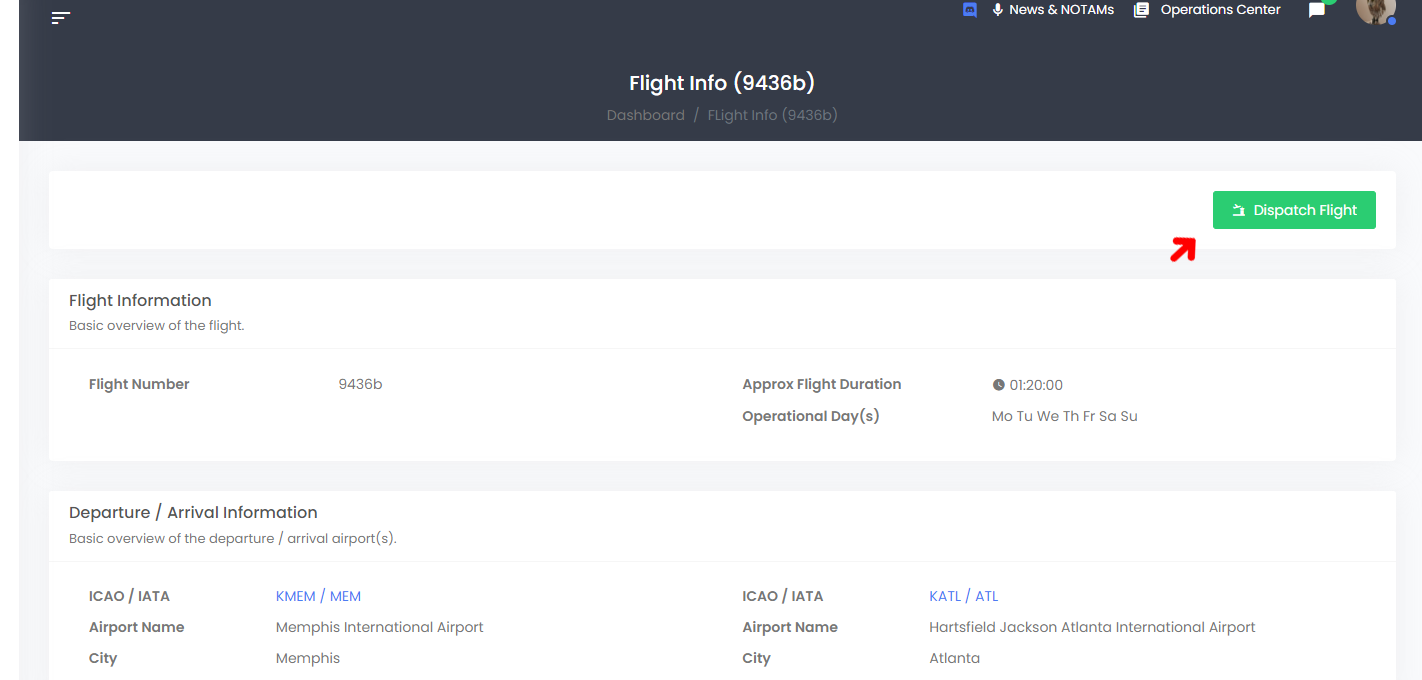](https://ops.pacificairways.net/uploads/images/gallery/2024-03/sched-2.png) Once you click on **Dispatch Flight** button the flight will then be assigned to you. You can now click on the **Dispatch Center** button or click on **Dispatch Center** on the left man navigation bar, an alert will also show up on the **Dashboard** indicating that you have an active flight. [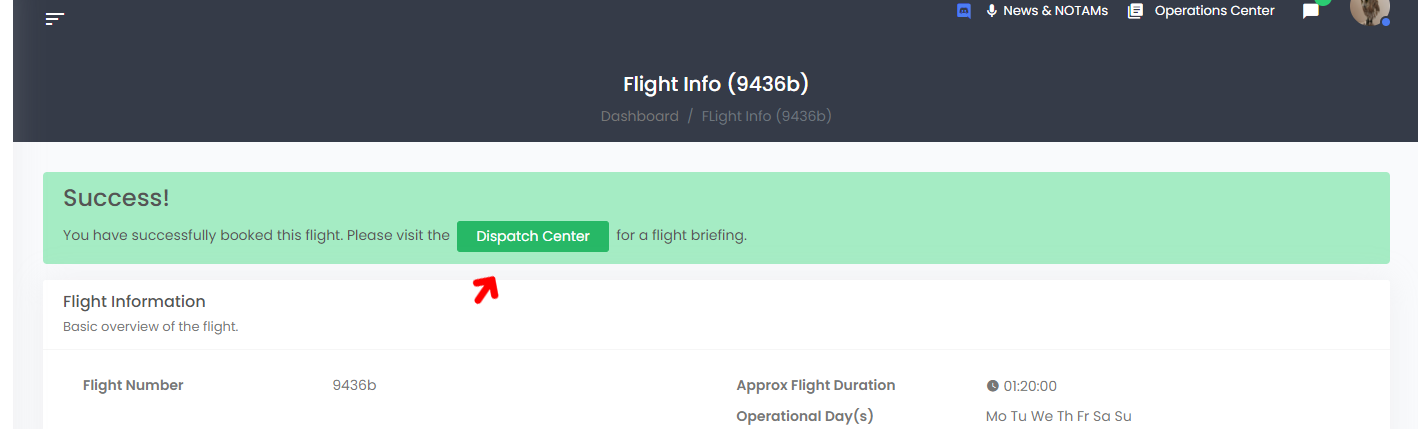](https://ops.pacificairways.net/uploads/images/gallery/2024-03/sched-3.png) You can now fly this route via our **ACARS** software, but you can also **Dispatch via Simbrief** this will allow you to create a full flight plan through SimBrief. Just click on the **Dispatch via Simbrief** button and fill in the appropriate information required to create a full flight plan, you do not have to visit SimBrief as you can do it via our website, but that's entirely up to you. [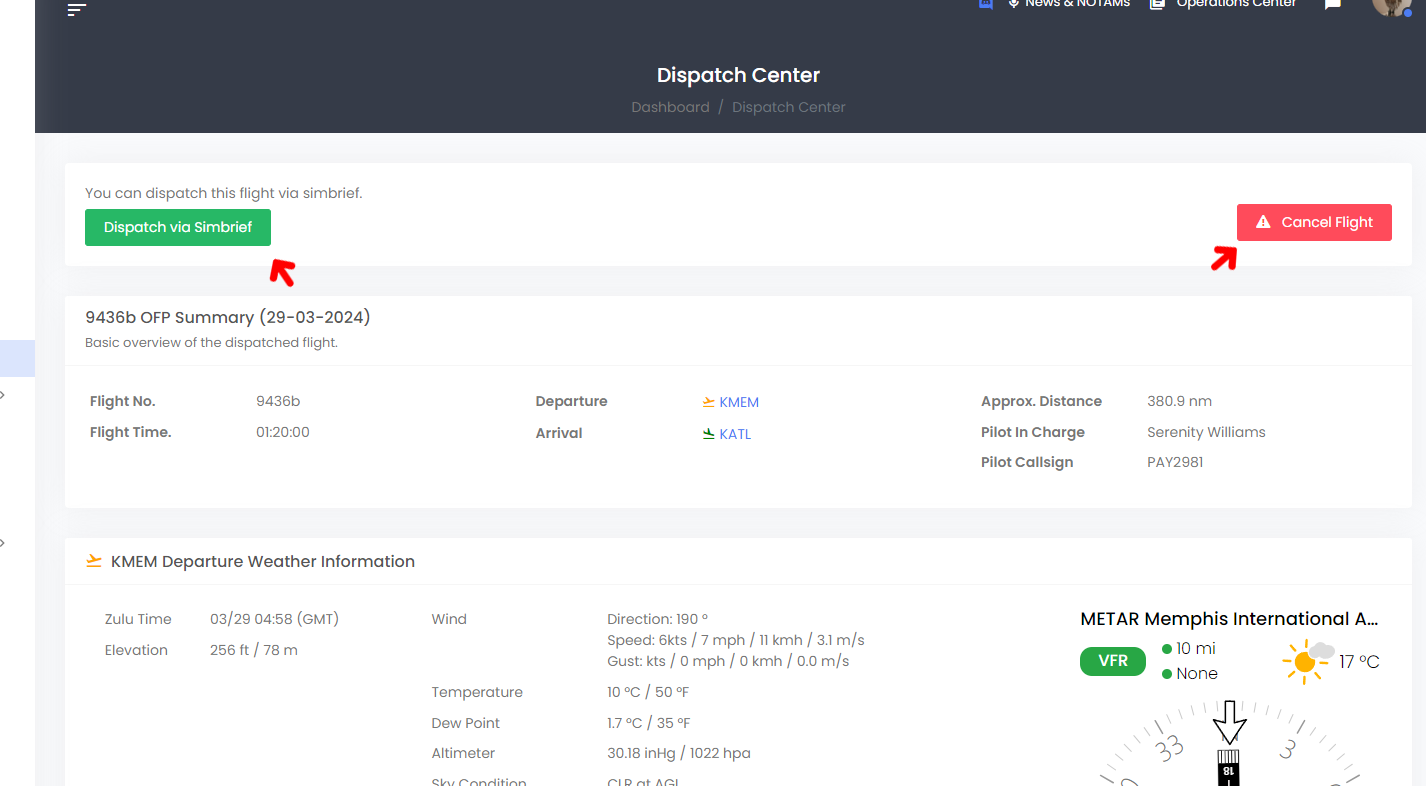](https://ops.pacificairways.net/uploads/images/gallery/2024-03/sched-4.png) If you choose to no longer fly the route you can click on the **Cancel Flight** button and this will terminate the job.You will **not** be deducted any credits for cancelling a flight.
# Charter Flights Our pilots have the option to generate a C**harter** flight via our **Dispatch Center** and click on **Dispatch Charter Flight**.**Note:** you can only depart from your current virtual location, your departure location will automatically be added to the flight plan.
[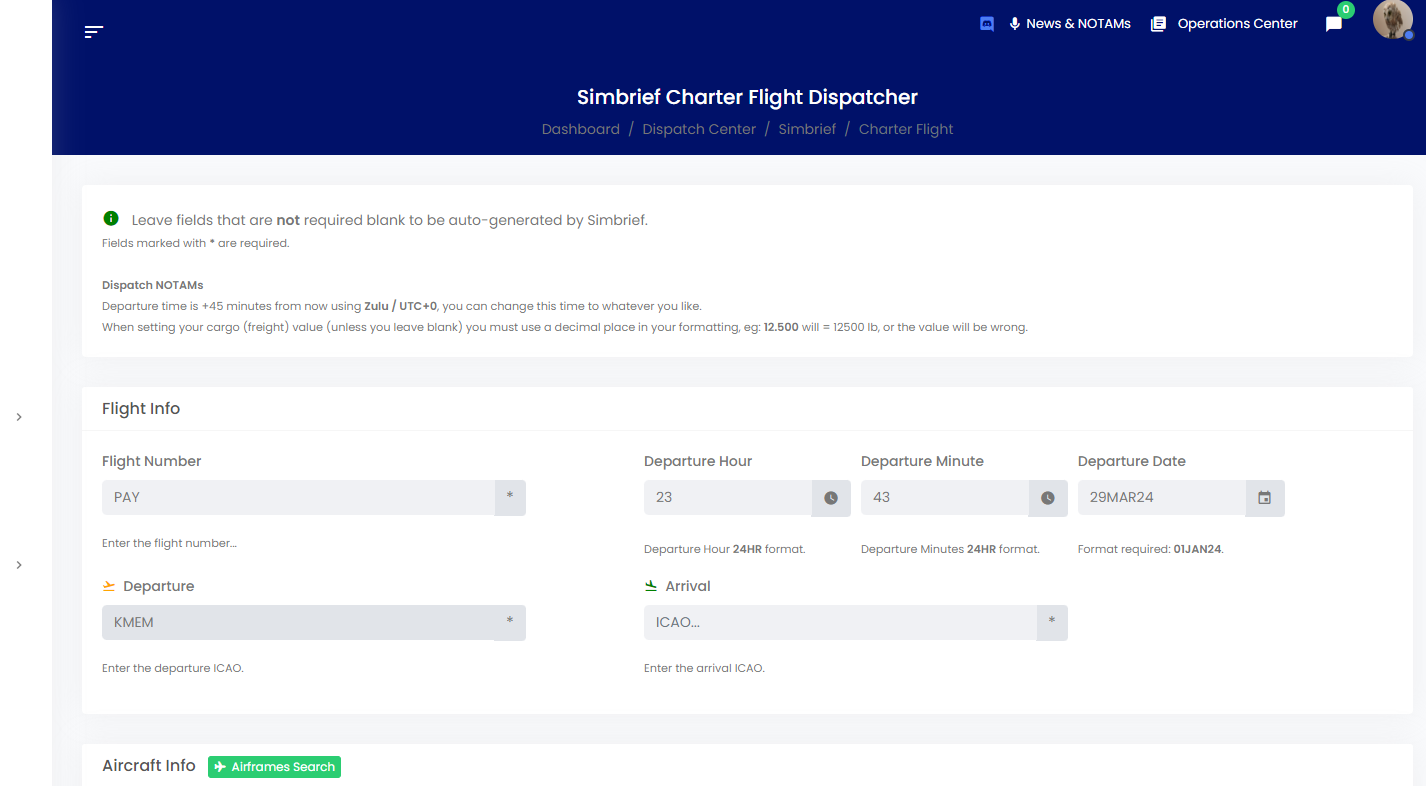](https://ops.pacificairways.net/uploads/images/gallery/2024-03/charter-1.png) This system uses our **SimBiref** integration tool, which will submit a flight plan through simbrief and will give you the option to *pre-file* via vatsim. You just fill the **\*** required fields and any additional fields you wish to fill then click on **Dispatch Flight**. This will then open a SimBrief pop-up window showing the flight plan being generated, once it has been generated, the website will then redirect you to the generated plan as shown below. [](https://ops.pacificairways.net/uploads/images/gallery/2024-03/charter-2.gif) Within this page shows all the information you need for your flight plan. You can also download the **Flight PDF**, pre-file plan on **Vatsim** and more by clicking on the **Actions** button. [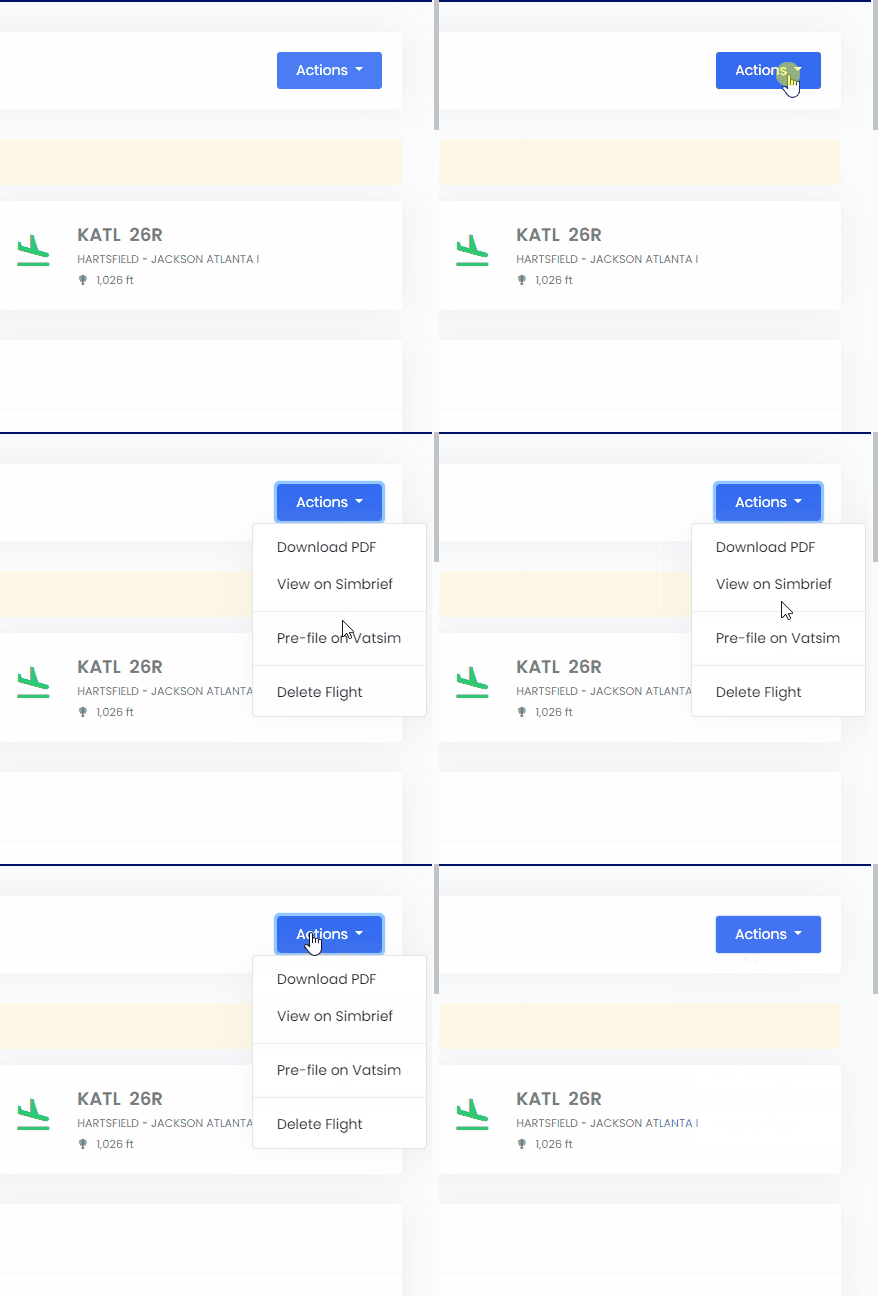](https://ops.pacificairways.net/uploads/images/gallery/2024-03/charter-3.gif) Then in our ACARS you just click on **From Dispatch,** this system also works the same when flying tours & events as well ad scheduled flights.